


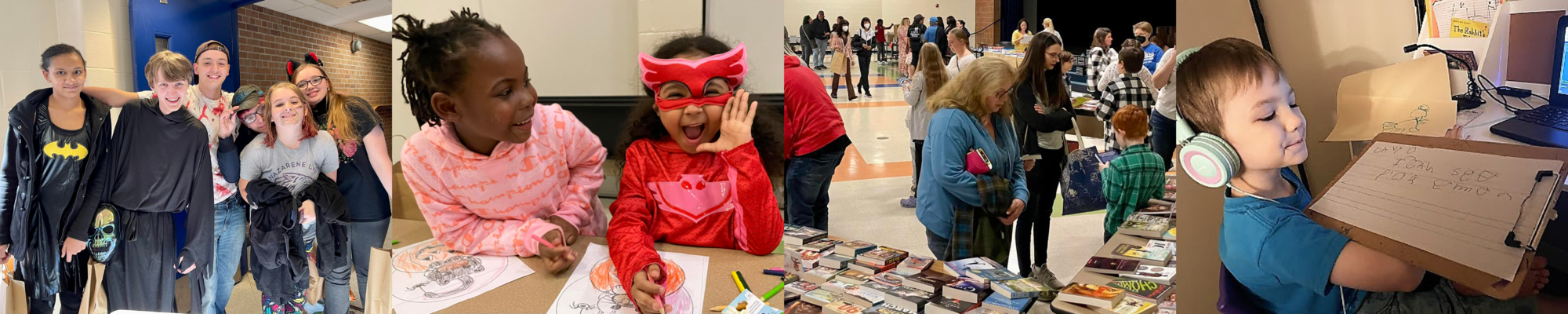


Welcome to
Grades K-12
A high-quality online school opportunity for any K-12 student living in the state of Michigan
 4501 Pleasant Grove Rd.
Lansing, MI 48910
Phone: (517) 755-1650
Fax: (517) 755-1659
Attendance: (517) 755-3956
4501 Pleasant Grove Rd.
Lansing, MI 48910
Phone: (517) 755-1650
Fax: (517) 755-1659
Attendance: (517) 755-3956
K-8th Grades | 9-12th Grades |
| Full Day 8:00 a.m. - 2:55 p.m. | Full Day 8:00 a.m. - 2:48 p.m. |
| Half Day 8:00 a.m.- 10:50 a.m. | Half Day 8:00 a.m. - 10:48 a.m. |
Visit the I Forgot Password Reset Page to reset ALL passwords at one time.
(Your own personal device)
USERNAME: Initials + Student ID# + @stu.lansingschools.net
PASSWORD: Initials + Birth Month & Date
Ex: John Smith, born Aug 7 = js0807
USERNAME: Initials + Student ID#
PASSWORD: Initials + Birth Month & Date
Ex: John Smith, born Aug 7 = js0807
HIGH SCHOOLERS WILL BE PROMPTED TO CREATE A CUSTOM PASSWORD
USERNAME: Initials + Student ID# + @stu.lansingschools.net
PASSWORD: Initials + Birth Month & Date
Ex: John Smith, born Aug 7 = js0807
USERNAME: Initials + Student ID# + @stu.lansingschools.net
PASSWORD: Initials + Birth Month & Date + @LSD
Ex: John Smith, born Aug 7 = js0807@LSD
USERNAME: Initials + Student ID#
PASSWORD: Initials + Birth Month & Date
Ex: John Smith, born Aug 7 = js0807
USERNAME: Initials + Student ID# + @stu.lansingschools.net
PASSWORD: Initials + Student ID#
A. Google Classroom/Google Meet - This is where teachers will be.
Edgenuity - This is where the coursework will be.
Office 365 - Email will be a major method of communication between teachers and students.
(Please see the student login information drop-down menu item for student websites, login ID's, and password reset information, if needed.)
A. Most students in the 7th-12th grade at Capital Area will have 5 courses for a full schedule. Most students will have a combination of synchronous (live, screen-to-screen) and asynchronous (independent) courses.
A. All students can log into StudentVue found on the Lansing School District website to see their full list of courses. Your child will be able to see ALL courses (synchronous and asynchronous) on their Edgenuity dashboards as well. Edgenuity is the platform where your child will complete their coursework.
A. Start times of LIVE courses can be seen in the titles/headings of each Google Classroom course tile, located on the Google Classroom dashboard. Students will need to attend their live synchronous course and receive directions from their teacher on coursework expectations in Edgenuity. Students can start on their asynchronous immediately! Although asynchronous courses have more flexibility, students are expected to complete at LEAST one assignment daily. Plan to spend about an hour a day on each asynchronous course. The school will call to inform a parent/guardian should we not see assignments completed daily.
A. YES!!!
All students taking asynchronous courses MUST attend their STUDY HALL live meet, which they will see on their Google classroom dashboard. This is a live work session where all students can receive support. All students taking asynchronous courses will have access to attend live office hours for one-one-one questions or needs of support. Students will find office hours located on their Google classroom dashboard.
Emailed photos to our head secretary at nadia.langenbacher@lansingschools.net are acceptable.
New students to the Lansing School District can visit the Enrollment website and enroll now!
Current students in the Lansing School District can visit the In-District Transfer page to learn how to join CAK12O!
|
Previous
November
2026
Next
|
|||||||||||||||||||||||||
| S | M | T | W | T | F | S | |||||||||||||||||||
|---|---|---|---|---|---|---|---|---|---|---|---|---|---|---|---|---|---|---|---|---|---|---|---|---|---|
1
|
2
|
3
|
4
|
5
|
6
|
7
|
|||||||||||||||||||
8
|
9
|
10
|
11
|
12
|
13
|
14
|
|||||||||||||||||||
15
|
16
|
17
|
18
|
19
|
20
|
21
|
|||||||||||||||||||
22
|
23
|
24
|
25
|
26
|
27
|
28
|
|||||||||||||||||||
29
|
30
|
||||||||||||||||||||||||
Details to be determined.
CAPITAL AREA K-12 ONLINE |
Brought to you by the Lansing School DistrictAn engaging, flexible, personalized online option for students to learn and earn credit. |

Explore in-demand careers and discover the degrees or credentials needed to pursue them.

Our school district is preparing to implement a new practice that will require all students in grades 5–12 to securely store their cell phones and other personal digital devices in a secure pouch during the school day. This practice will be implemented consistently across our district to provide a common expectation and experience for all students.
Title IX prohibits discrimination on the basis of sex in any District program, service or activity including, but not limited to: educational programs or activities, extracurricular activities, student services, academic counseling, discipline, classroom assignment, grading, athletics, transportation, etc.
Sexual Harassment (unwelcome sexual advances, requests for sexual favors and other verbal or physical conduct of a sexual nature)
Sexual Misconduct/Violence (rape, sexual assault, sexual battery, sexual exploitation and other forms of non-consensual sexual activity)
Stalking (repeatedly following, harassing, threatening or intimidating including by telephone, mail, electronic communication or social media)
Retaliation (adverse academic or other actions against anyone reporting or participating in an investigation of Title IX allegations)
 Sexual Misconduct PolicyComprehensive Title IX Training- Thrun Law Firm WebinarSexual Misconduct and Title IX Process
To report prohibited behavior or concerns with the Districts Title IX Coordinator, complete the form linked below.
If you are a district employee and would like to report prohibited behavior, please fill out the form on the Lansing School District Prohibited Behavior Reporting Portal. (You must be logged into your District Google account.)
If you are not a district employee and would like to report prohibited behavior, please email TitleIX@lansingschools.net.
| For Students: | For Staff: |
| Phil Janis | Erin Miracle |
| Civil Rights Compliance Specialist | Human Resources Manager |
| p.janis@lansingschools.net | e.miracle@lansingschools.net |
| (517)755-2808 | (517)755-2010 |
| 19 W. Kalamazoo | 519 W. Kalamazoo |
| Lansing, MI 48933 | Lansing, MI 48933 |
| Title IX Certificate of Completion | Title IX Certificate of Completion |
Title IX concerns can also be e-mailed to:
Lansing School District Office of School Culture Title IX Coordinator
TitleIX@lansingschools.net
4200 Wainwright Ave.
Lansing, MI 48933
